
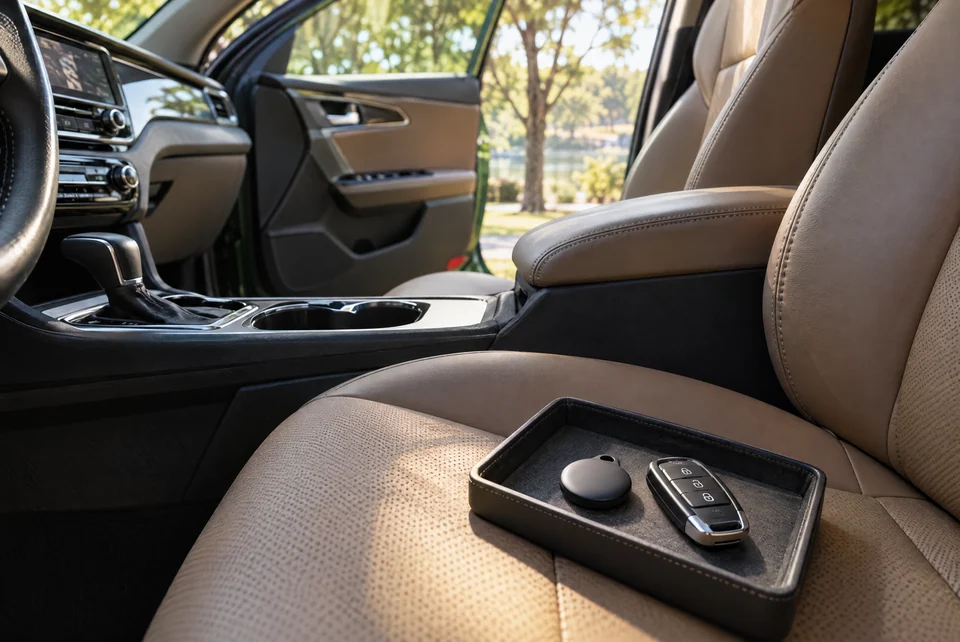
A Bluetooth item tracker can provide occasional location observations for your own vehicle, but it is not a shipment-control system, a continuous GPS feed or proof of what a driver did. If you use an AirTag or another compatible item tracker, keep the purpose limited to your property, understand that anti-stalking alerts may notify people traveling with it, and tell the transport coordinator before pickup. Continue using the written dispatch details, bill of lading and direct communication as the actual shipment record.
What to know first
- Use a tracker only with property you own or are authorized to manage, and disclose it to the coordinator.
- Expect delayed, intermittent or missing location observations rather than continuous vehicle telemetry.
- Do not treat a tracker dot as proof of route, custody, damage, delivery or wrongdoing.
Start with the tracker’s real purpose and limits.
Apple describes AirTag as a way to keep track of personal items. Its location history is not stored on the AirTag itself, and its Find My result depends on nearby participating devices rather than a dedicated cellular connection in the vehicle. That means a location can remain unchanged for a period, update at irregular intervals or be unavailable in an area with no useful network observation.
Use the tracker as a secondary personal-item signal, not as a promise of real-time monitoring. It does not identify the assigned driver, verify the carrier, measure whether the car was driven, record the condition of the vehicle or replace a signed pickup and delivery document. Keep expectations realistic before the shipment starts.
Tell the coordinator before the vehicle is released.
A tracker separated from its owner can trigger an unknown-tracker warning for another person who travels with it. Apple and Android both publish safety features intended to alert people when an unfamiliar compatible tracker may be moving with them. A transporter who receives such a warning should not have to guess whether the device is legitimate or concealed for a harmful purpose.
Tell the coordinator that an owner-controlled item tracker is in the vehicle and record that disclosure with the pickup instructions. Do not ask anyone to disable a safety alert, defeat a device warning or keep the tracker secret from the people responsible for the vehicle. If the assigned carrier has a device policy, resolve it before release rather than during loading.
Place it without creating a vehicle or inspection problem.
Keep the device with your own property and away from pedals, controls, airbags, seat tracks, charging ports, loose cargo and moving mechanical parts. Do not attach it to the exterior where it can detach, damage paint or be mistaken for unfamiliar equipment. Never open trim, modify wiring or interfere with the vehicle solely to hide a tracker.
Make sure the car can still be inspected clearly. If personal belongings are not accepted under the shipment terms, ask whether the small tracker itself is allowed and where it may remain. Document its presence for your private records without publishing the device serial number or account information in a public quote note.
Keep account access and shared links private.
The owner should retain control of the tracker account. Do not give the transport team your Apple, Google or other account password. If a device platform offers a limited sharing feature, read the current platform instructions and share only when there is a specific need and a clearly identified recipient. End access when that need ends.
Apple’s Find My documentation distinguishes sharing an item with another person from generating a temporary link for a lost item. Those functions can change over time and are not a standard auto-transport workflow. A screenshot or shared page can reveal sensitive location information, so do not post it publicly or forward it to unrelated parties.
- Record the tracker name and device type privately
- Tell the coordinator before pickup
- Keep passwords and recovery information to yourself
- Limit any location sharing to an identified purpose and recipient
- Remove temporary access after the shipment or incident review
Interpret an unexpected location carefully.
A delayed or surprising dot is a reason to check the written plan, not proof of theft, misuse or an unauthorized route. Network observations can be intermittent, and an estimated location may not explain which deck, truck, yard or access road contains the vehicle. Compare the timestamp with the pickup record and the most recent update from the coordinator.
If something still looks wrong, contact the known coordinator through the phone number or email already attached to the shipment. Ask for a status update using the request reference. Preserve relevant screenshots and times, but avoid confronting an unknown person or publishing accusations based only on an item-tracker location. Contact emergency services when there is a genuine immediate safety concern.
Close the tracker record at delivery.
At delivery, perform the normal condition walk-around, compare the odometer and pickup images, review the bill of lading and confirm who received the keys. Those records describe the handover; a nearby tracker signal does not establish the car’s condition or complete the delivery inspection.
Retrieve the device, end any temporary sharing and note the final handover time. If the tracker is missing or reports a different location, document the facts and follow the written shipment and device-support procedures. A location accessory can be useful, but a clear dispatch record, direct communication and careful inspection remain the reliable foundation of the move.
Plan your next step
Prepare the vehicle and handover record before pickup ↗Decide what personal belongings may remain in the car ↗Record the odometer at pickup and delivery ↗Request a preliminary transport plan ↗Sources & further reading
Explore the service
Door-to-door car shipping ↗Published by Driveline Logistics. Guides explain planning considerations; shipment-specific equipment, availability and written terms are confirmed before booking.